A thoughtful first draft
Menu design templates for a faster first draft
A menu template is a starting layout, not a finished brand. Pick one that suits your menu format, then personalize its text, prices, colors, and images in Menu Maker.
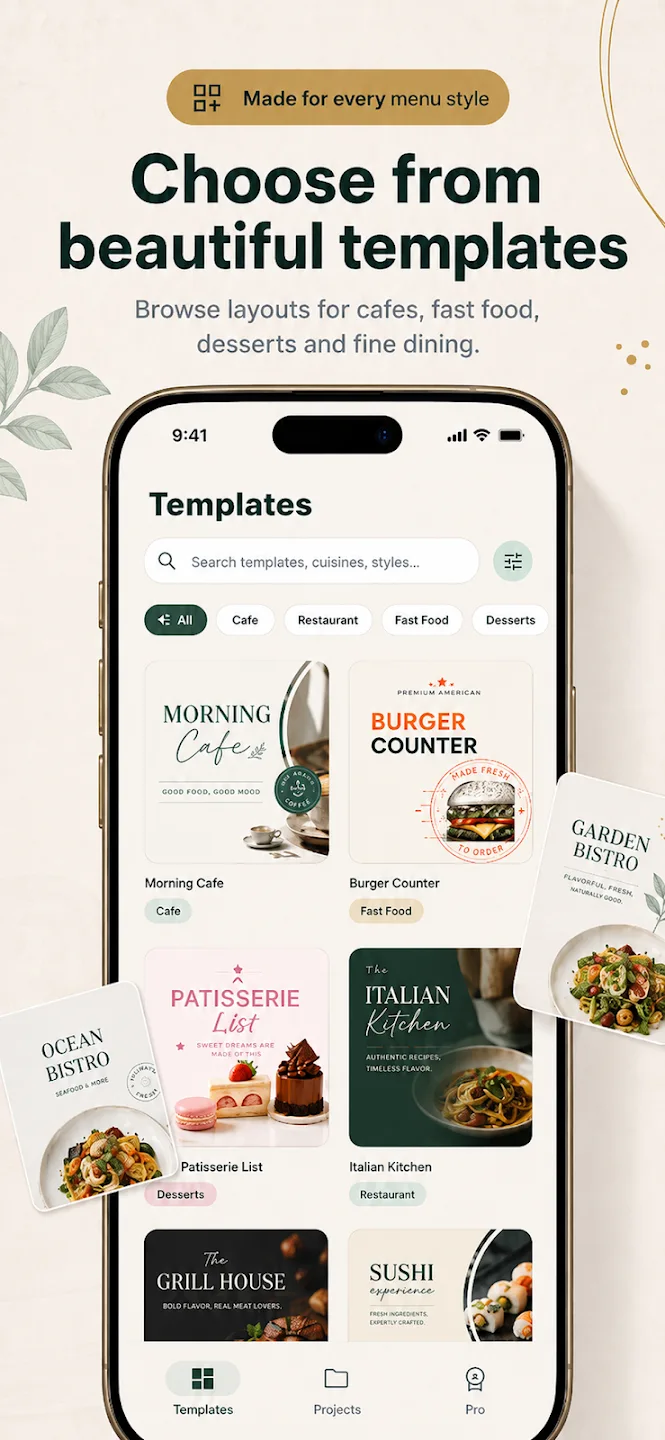
Choose a template by the job it needs to do
Start with format and reading context, then consider visual style. A one-page counter menu, a table menu with several sections, and a drinks list need different amounts of space.
- Cafe: leave room for drink sizes, milk choices, and a small food section.
- Fast food: make combos, sides, and add-ons easy to locate.
- Dessert: give names and photos enough room without crowding the descriptions.
- Restaurant: test the layout with the number of sections your menu actually needs.
Stress-test the layout with your real content
Before polishing colors, replace sample text with one of your longest dish names, its description, and the correct price. Check if the name wraps cleanly and the price still reads as part of the same item.
Menu Maker templates are editable in the mobile app. The app listing describes changing text, prices, descriptions, fonts, colors, images, and sections, so the starting layout can be adapted to your menu rather than used as-is.
Check the export before you print or share
Read the exported image at its intended size. For print, check page orientation and margins with your printer. For sharing as an image, make sure small descriptions remain legible on a phone.
Menu Maker shows standard-quality PNG on the free plan, while PDF export and QR Menu are labeled Pro in the current export screen. See the free menu maker details for the plan distinction.
Template questions
Choose with confidence
What kinds of menu templates are available?
Are all templates free?
Can I make a template match my restaurant?
Start creating
Find a starting layout for your menu.
Browse and personalize templates in the Menu Maker mobile app.