The mobile menu creator
A menu maker built around editable templates
Menu Maker is the mobile design app behind MenuDock. Start with an editable template, change the details that matter, and keep a draft on your device while you work.
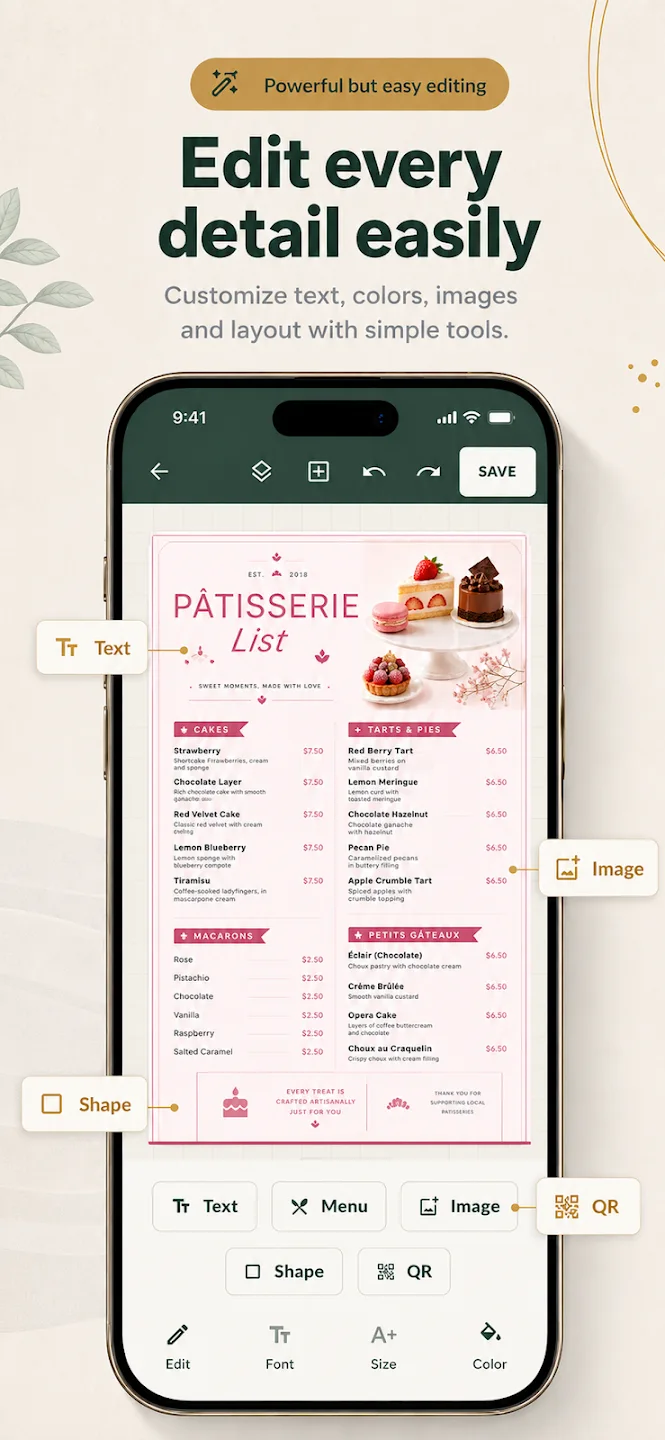
A simple menu-making workflow
- Choose a starting point. Browse editable layouts for restaurant, cafe, fast-food, dessert, drink, and other menu styles.
- Replace the sample details. Add your item names, descriptions, and prices. Adjust type, colors, images, and sections to fit your business.
- Review before exporting. Scan the full page for missing items, outdated prices, and anything that is hard to read at its intended size.
The app listing describes these editing tools for the Menu Maker mobile app. It is not an in-browser restaurant menu creator.
Build around your real menu
For example, a cafe template might begin with espresso, brewed coffee, breakfast, and bakery. Replace those sample sections with the categories your guests actually order from, then add only the details that help them choose.
Menu Maker lets you edit the text, prices, descriptions, fonts, colors, images, and sections described in its app listing. Keep a copy of your current menu nearby while updating so names and prices stay accurate.
Know what the export screen includes
The current app export screen shows a standard-quality PNG option on the free plan. PDF export and QR Menu are labeled Pro. Menu Maker is free to download and has in-app purchases, so check the app’s current purchase screen for details before subscribing.
MenuDock does not host the exported file or create a permanent public menu link. For a clear breakdown, visit free menu maker options.
Menu Maker questions
How the app works
Is Menu Maker a web app?
What can I change in a menu template?
Can I export my menu as a PDF?
Start creating
Make your next menu in Menu Maker.
Choose a template and work on your design in the mobile app.